# How to create a Simple Card Component using TailWindCSS
Hello awesome people👋, welcome back.
This blog post is going to be a super simple post, and I just wanna share my TailWind CSS learning with you all.
## What are we going to design?
A simple and minimalistic card component with 100% TailWind CSS.

## CodePen setup
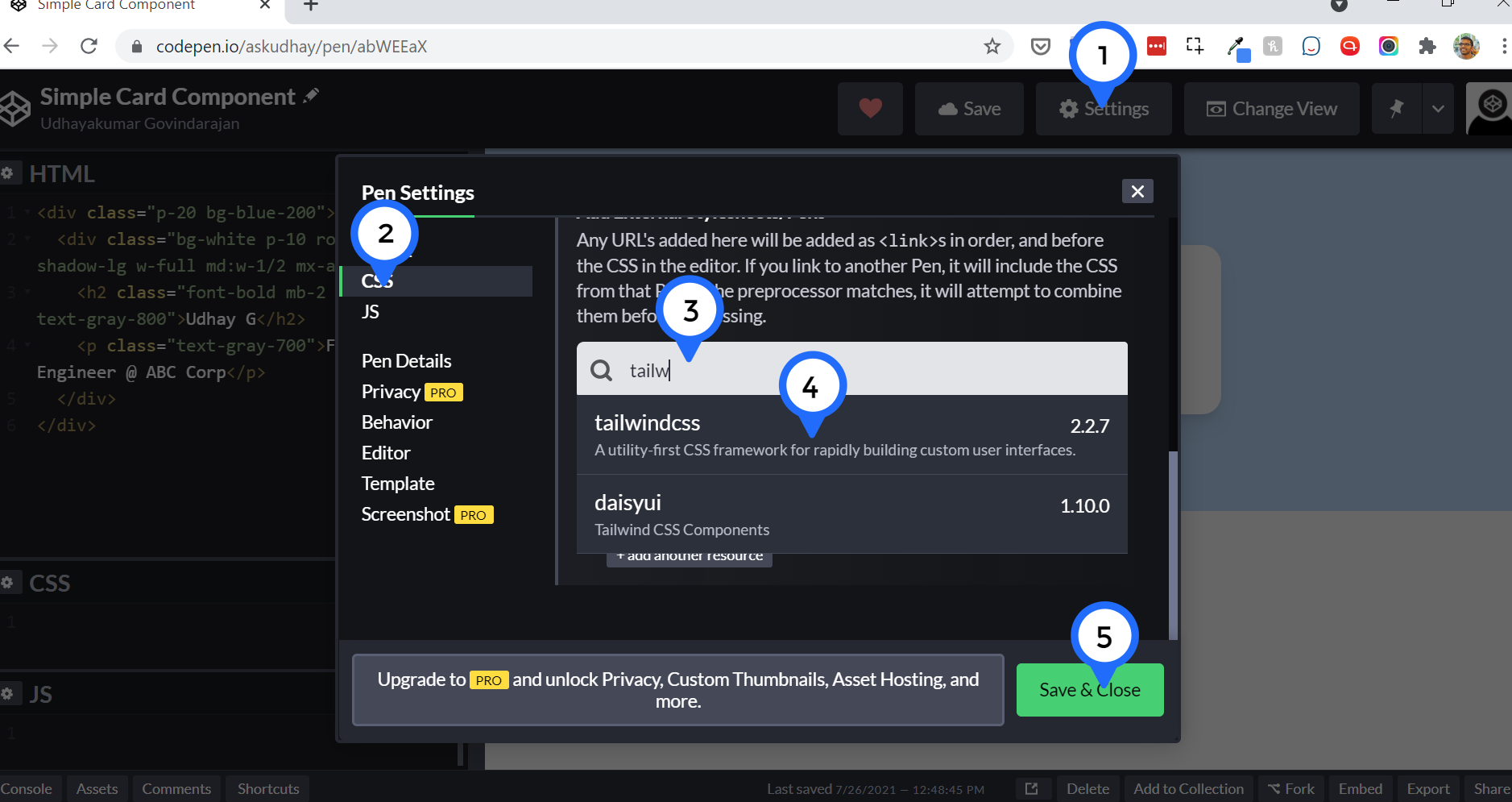
Let's create a new pen in [CodePen](https://codepen.io/), and make sure you added TailWindCSS as an external CSS library from Settings as shown below.
## Let's design card component
* Step 1: Create a container for the Card component (a div tag obviously) with padding as 20 which is 5 rem and background color with blue shade.
```
```
> bg-blue-{} - You can pass values from 100 to 800 in multiples of 100, that create different shades of blue color.

* Step 2: Create a card inside the container:
```
Udhay G
Full Stack Engineer @ ABC Corp
```

* Step 3: Let's beautify the card:
* Add tailwind css classes to inner div for Background color/ Rounded border/ Box shadow.
```
Udhay G
Full Stack Engineer @ ABC Corp
```

* This card looks really big on Large devices, so let's make it responsive. I want to use the full width of the device when the device is small-sized, and use half the width of the device when the device is medium-sized and above.
* These responsive classes do the magic: `w-full md:w-1/2`
```
Udhay G
Full Stack Engineer @ ABC Corp
```

* Uh ho. The card is not center-aligned in medium-sized devices though it uses half the width of the device size, no worries, let's add this class `mx-auto` which will auto-align the div to center.
```
Udhay G
Full Stack Engineer @ ABC Corp
```
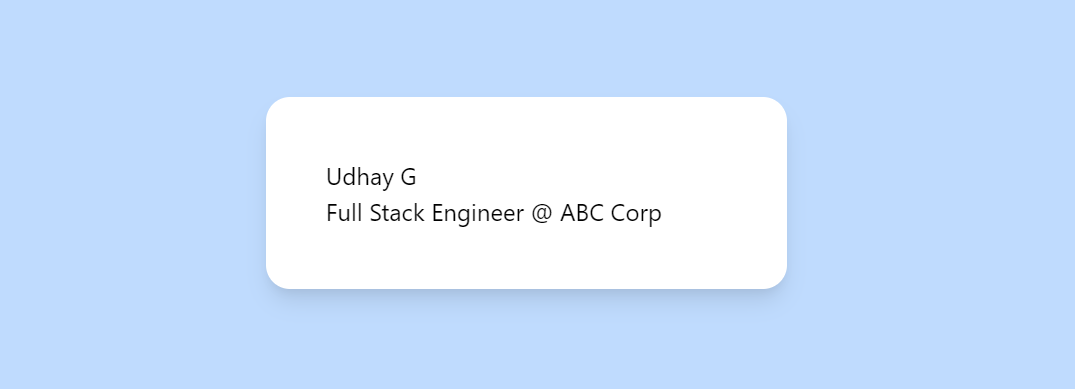
* `` - Change the font typography, font size, font color and also add margin-bottom.
```
Udhay G
Full Stack Engineer @ ABC Corp
```

* `` - Change the font color.
```
Udhay G
Full Stack Engineer @ ABC Corp
```

# Demo
%[https://codepen.io/askudhay/pen/abWEEaX]
All ready you now know how to create a simple card component using TailWindCSS.
Hope you find this article useful, please feel free to share it with your friends/colleagues.
If you got any questions, don't hesitate to post them in the comments section down below.
Happy learning!
I tweet a lot about Web development, Java, and Productivity Hacks, follow me on Twitter at [AskUdhay](https://twitter.com/AskUdhay).
Here is one of my recent tweets:
%[https://twitter.com/AskUdhay/status/1414568618436685830]
## Reference
https://tailwindcss.com/docs