# Lazy loading feature Modules in Angular
Hello awesome people👋, welcome back!
## Introduction
Angular app development is much easier with the CLI and other tools that come out of the box with Angular. We can create an app and spin that in Cloud in minutes.
But all that matters are:
* How efficiently we are architecting the App, splitting the whole application into smaller chunks as individual modules.
* The size of the initial module that gets served when an app is launched, as it impacts the loading time of an App on the browser.
Lazy loading the feature modules comes to the rescue in serving individual modules as chunks based on Routes.
Let me demonstrate the concept with a quick example.
## What is lazy-loading?
Lazy loading is a design pattern, in which modules (respective components and assets) are loaded as and when required. Say, when the User navigates to `/contact`, the `contact` Module is loaded. This way loading of all Modules on the launch of the app on the browser is avoided, which improves the page speed.
## Create a new project
Let's create a new project by running this command `ng n ng-lazy-loading --routing`
The `--routing` flag generates the Router module file (app-routing.module.ts) out of the box and does the basic Routes configuration.
## Setup Lazy loading
Let's create a feature module called `dashboard` and load it when the route `dashboard` is accessed.
### Dashboard Module
Run the command `ng g m dashboard --route dashboard --module app.module`.
This command:
* Creates `dashboard` module under `app.module`.
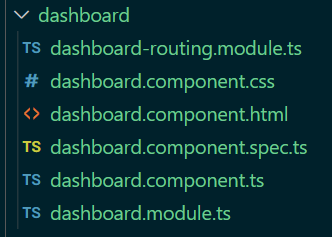
* Configures route called `dashboard` for `dashboard` module in Router module.
```
const routes: Routes = [
{
path: 'dashboard',
loadChildren: () =>
import('./dashboard/dashboard.module').
then((m) => m.DashboardModule),
},
];
```
### Contact Module
Let's create another module called `contact` by running this command `ng g m contact --route contact --module app.module`.
`contact` module created under App module.
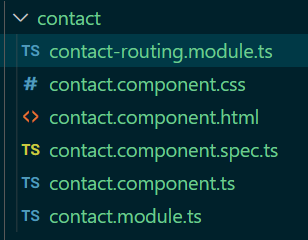
You should see `app-routing.module.ts` updated with route configuration for `contact` module as well.
```
const routes: Routes = [
{
path: 'dashboard',
loadChildren: () =>
import('./dashboard/dashboard.module').
then((m) => m.DashboardModule),
},
{
path: 'contact',
loadChildren: () =>
import('./contact/contact.module').
then((m) => m.ContactModule),
},
];
```
### Default Route
Let's add the default route in `app-routing.module.ts` just in case if the routes accessed by the User not matching either `dashboard` or `contact`.
```
{
path: '',
redirectTo: '',
pathMatch: 'full'
}
```
## Verify lazy-loaded modules using Developer tools
* Open `app.component.html` and replace the code with:
```
```
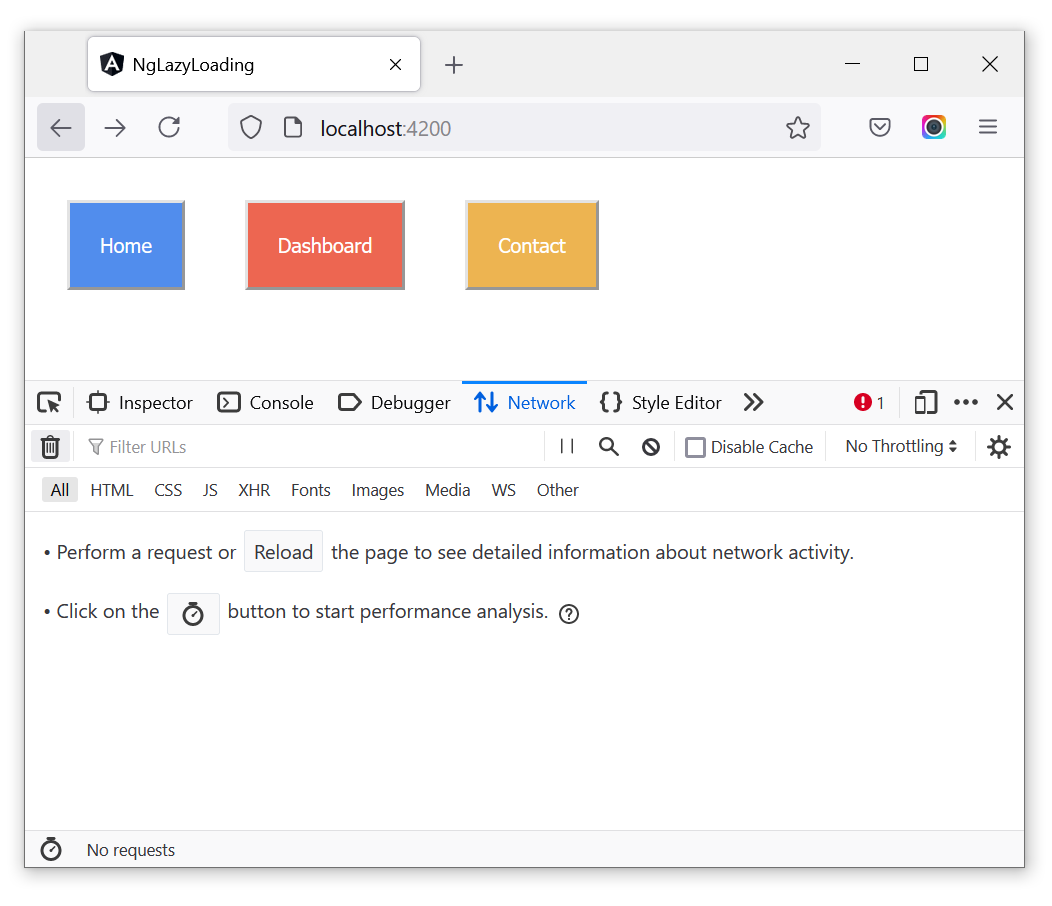
* Make sure your application is running on your local machine.
* Goto [http://localhost:4200/](http://localhost:4200/). Open `developer tools` (Press F12).
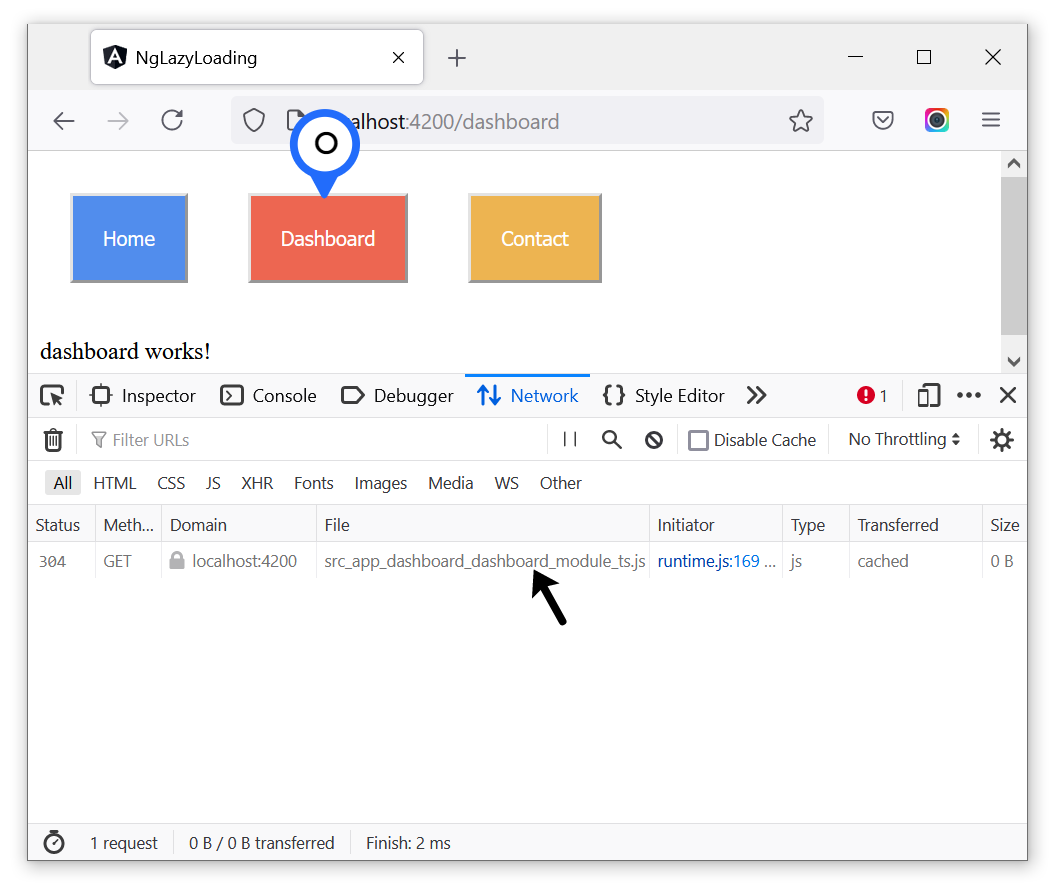
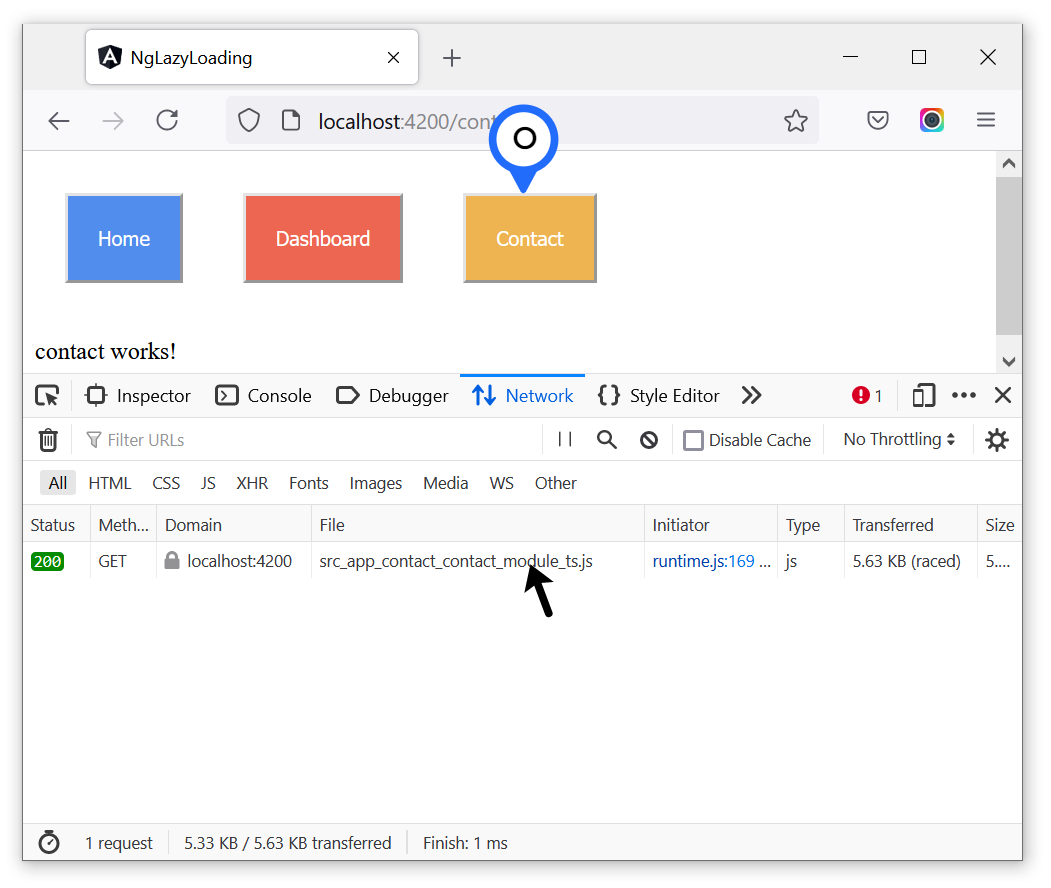
* Click on the `dashboard` button, you must see the `dashboard` module chunk loaded in the console.
* Now click on the `contact` button, you must see the `contact` module chunk loaded in the console.
## Where does Lazy loading fit?
* Assume you are developing an e-commerce application like Amazon, Flipkart.
* You know how many pages an e-commerce app will have. Probably 1000+, and you need to put them in different modules like:
* Login
* Dashboard
* Products
* Checkout
* Billing
* Orders
* Contact
* Logout
* You should not load all these modules when the app is loaded on the browser for the first time, as that will make the User wait for a long time to see the page on the browser. Right?
* Better solution is to load these modules as the User navigates through different pages.
* Load `contact` module only when the User clicks on the `Contact us` button on the page.
* Similarly handle the loading of other modules based on the User actions.
## Putting all together
Lazy loading doesn't help much for an application that has fewer pages. But it matters a lot for enterprise-level applications.
Individual modules are loaded when the user navigates to the respective routes, which improves the page speed that helps in achieving a good SEO rank from Google, Bing, and also a better User experience.
Hope you find this article useful, please feel free to share it with your friends/colleagues.
If you got any questions, feel free to post them in the comments section down below.
Happy learning!
I tweet a lot about Web development, Java, and Productivity Hacks, so feel free to follow me on Twitter at [AskUdhay](https://twitter.com/AskUdhay).
Here is one of my recent tweets:
%[https://twitter.com/AskUdhay/status/1408415572488974338]